


Estimated time to complete: 2 minutes
This guide will walk you through the process of integrating your Shopify store with your YouPurr marketplace/s using the YouPurr Shopify App.
Some aspects and visuals of this guide may differ due to the time of documenting.
What you will require
- An active Shopify store with a custom domain.
- Your marketplace account login credentials (username and password)
- Your marketplace integration key (supplied by your marketplace)
Let's get started!
- In your Shopify Dashboard, go to Settings.
- In Settings, go to Apps and Sales Channels.
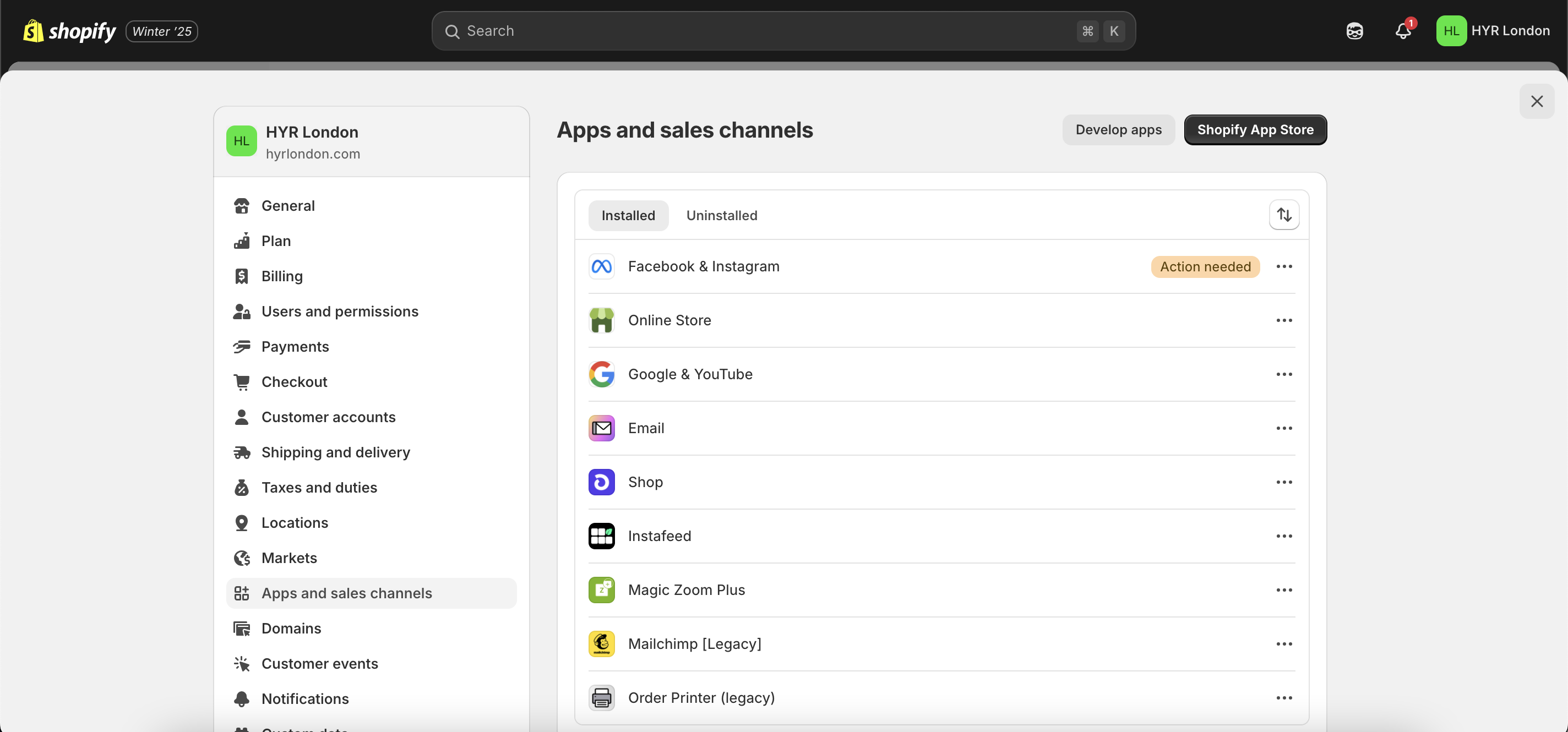
- In Apps and Sales Channels, click the 'Shopify App Store' button.
- In the Shopify App Store search for the app 'YouPurr'.
- Click the 'Install' button.
- In the Install App page, click the 'Install' button. YouPurr requires access to certain data stores which has been approved by Shopify. We use this data to ensure your marketplace can function correctly and interact with the areas of your Shopify platform that are required by the marketplace.
- Connect your store by clicking the 'Connect' button.
- Integrate your store by entering your marketplace login credentials and your integration key. Your integration key can be found in your store dashboard settings area or will be provided by your marketplace.
- Connection success. If your integration is successful you will see the success indicator.
- Manage your product listing. Once integrated you must ensure that the relevant products are available to the YouPurr Sales Channel. Unless otherwise notified, marketplaces will require all products to be made available.
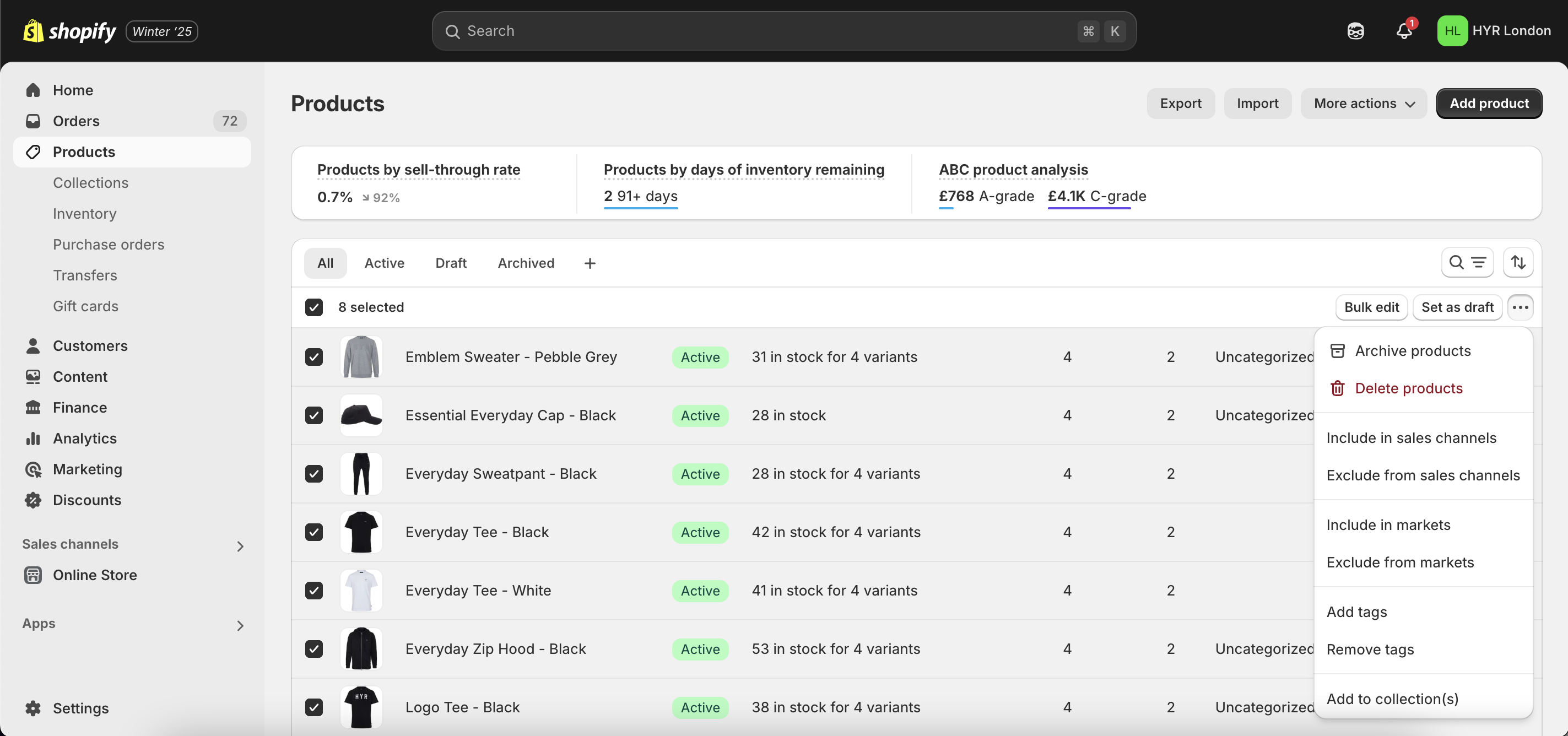
- In the Products screen, click the top checkbox to select all products or select the checkboxes of the products you want to be available to the YouPurr Sales Channel.
- Once selected, click the '...' button and click 'Include in sales channels' ensuring that the products are available to YouPurr.
- Go back to the YouPurr Sales Channel App and ensure products are now available and published to YouPurr.
Congratulations!
You can now sell through YouPurr Marketplaces!
Please ensure any new products are made available to YouPurr if required. You can now let your marketplace know that you're fully integrated.